A 3D model in a report has one job: let people find an object and see its status. Every triangle that does not serve that job costs download time, memory and frame rate. This page measures where the weight sits in a GLB, what you can remove for free, and what you pay when you remove more.
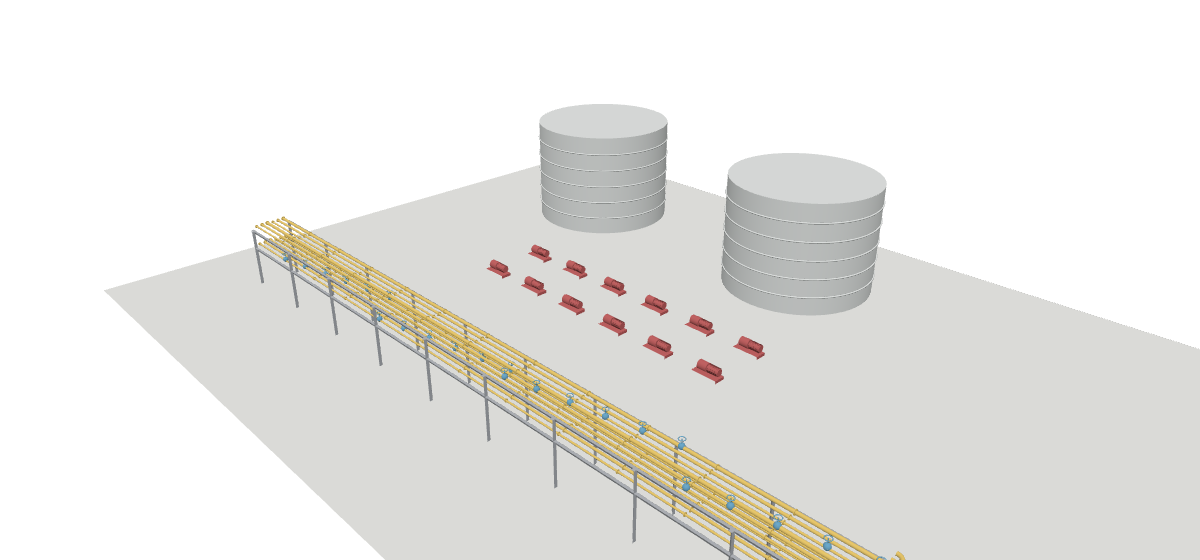
01Where detail is decided
CAD and IFC can store a pipe as an exact cylinder. A GLB only stores flat triangles, so somewhere an export cuts every curve into straight segments. The gap between the true curve and the flat segment (the chord error) is the detail you keep or lose.
| Radius | Segments for 1 cm | Segments for 1 mm |
|---|---|---|
| 30 mm (2 in line) | 4 | 13 |
| 150 mm (12 in line) | 9 | 28 |
| 1 m (vessel) | 23 | 71 |
| 8 m (tank) | 63 | 199 |
One fixed segment count wastes triangles on small pipes and starves large tanks. A cap in millimetres treats every size the same way, which is why the steps below cap the error, not the count.
02Which format carries what
No format wins on everything. The richest formats are the hardest to draw; the format built for drawing carries the least data. The usual answer is to send the geometry as GLB and keep the data in a table beside it.
| Format | Owner | Geometry | Properties | In a browser |
|---|---|---|---|---|
| NWD | Autodesk (Navisworks) | Triangles | Yes, rich | No: Autodesk tools or a converter |
| IFC | buildingSMART, ISO 16739-1 | Exact solids, extrusions or triangles | Yes, the richest (property sets, types, relations) | Through a converter or an IFC web library |
| STEP | ISO 10303 | Exact curved surfaces (B-rep) | Little | No: tessellate first |
| FBX | Autodesk | Triangles, materials, animation | Limited | Through a converter |
| OBJ | Open, plain text | Triangles, groups, materials | No | Yes, but large and slow |
| glTF / GLB | Khronos Group | Triangles, scene tree, names | Names + extras JSON, or a separate tag table | Yes: built for runtime delivery |
| 3D Tiles | OGC community standard | Many GLB tiles, streamed by view | Per-feature metadata | Yes, at city or site scale |
03Seven steps, measured
The same plant, each step applied on top of the previous one. Green steps change nothing you can see. Amber steps remove detail you choose.
After the web server gzips the file, meshopt (45 KB) and Draco (48 KB) end up close. Both need their decoder in the viewer; a viewer without it shows nothing.
04The centimetre
Simplification merges triangles until a surface would move more than the cap. The cap is the only lossy choice that matters, so pick it on purpose: the same close-up at four caps.
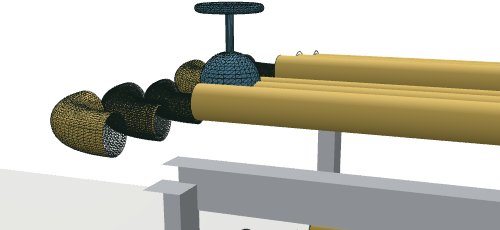
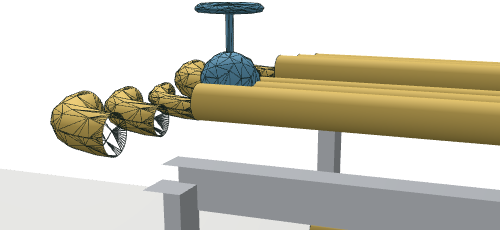
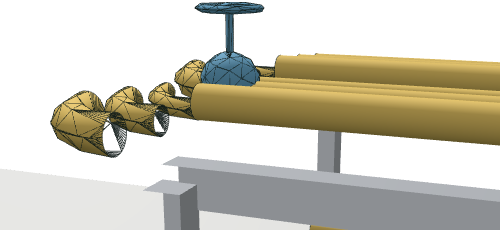
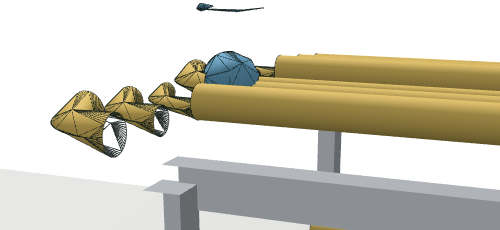
Reference after the lossless steps.
8 % fewer triangles, file 16 % larger: the rewrite split shared buffers (27 to 35). Not worth it.
Close to the original.
Shapes kept. Elbows show facets close up.
Elbows turn polygonal close up. The 6 cm handwheel still there.
Handwheel and stem gone, elbows become cones. Overview only.
Same as 5 cm with rougher curves. Gains have flattened.
05Before it goes into Power BI or a web app
- The tag survives every step. Count the distinct element IDs before and after optimising. Welding, dedup and simplification rewrite buffers; the ID attribute must ride along (see how the click finds its row).
- The viewer reads what you wrote. Instancing (
EXT_mesh_gpu_instancing), meshopt and Draco are extensions. three.js reads all three when given the decoders; check yours before you ship. - Quantize knowingly. 16-bit positions split each mesh's bounding box into 65,535 steps: 1.5 mm on a 100 m mesh. Fine for a plant, not for a micrometre part.
- Keep coordinates near zero. GLB positions are 32-bit floats: at 500 km from the origin the step is 3 cm. Subtract a site origin at export and store it once.
- Size the tag table too. A Power BI visual receives data in windows of 30,000 rows and stops at 1,048,576 rows. One row per tagged object, not per triangle.
- Keep the raw export. Every step here is a script. When the cap turns out wrong, re-run from the raw file, never from an already simplified one.
The four routes, the tag join, and how a click finds its row.
Place the 3D visual and its tables on a report page, download a .pbip.
Sources. glTF 2.0, KHR_mesh_quantization, EXT_mesh_gpu_instancing, EXT_meshopt_compression, KHR_draco_mesh_compression, meshoptimizer, glTF-Transform, OGC 3D Tiles, IFC, Power BI fetchMoreData limits.